Important Update for Customers Using 32-bit Systems
Support for 32-bit systems ends in september 2026
Microsoft has ended support for 32-bit Windows systems. In line with this change, Gofrugal POS support for 32-bit systems will be available only until September 2026.
After September 2026, customers using Gofrugal POS on a 32-bit system will not receive new product patches or security fixes.
Already using a 64-bit system?
No action is required.
Why is this upgrade required?
Older 32-bit systems may not support the latest security updates and product improvements. Upgrading to a 64-bit system will help you keep your POS application updated and ready for upcoming business requirements.
Upgrading early helps You :
Receive future Gofrugal patches, updates, and security fixes.
Avoid issues during busy periods, including festive seasons.
Reduce security risks caused by outdated system versions.
Ensure better compatibility with future Gofrugal releases.
Keep your system ready for year-end activities.
What should you do now?
If you are using a 32-bit system, please plan to upgrade your system to 64-bit before September 2026.
Before Upgrading, Complete These Steps
1. Take a complete data backup
Take a complete backup of your POS data and save it safely on a pen drive, hard disk, or cloud drive.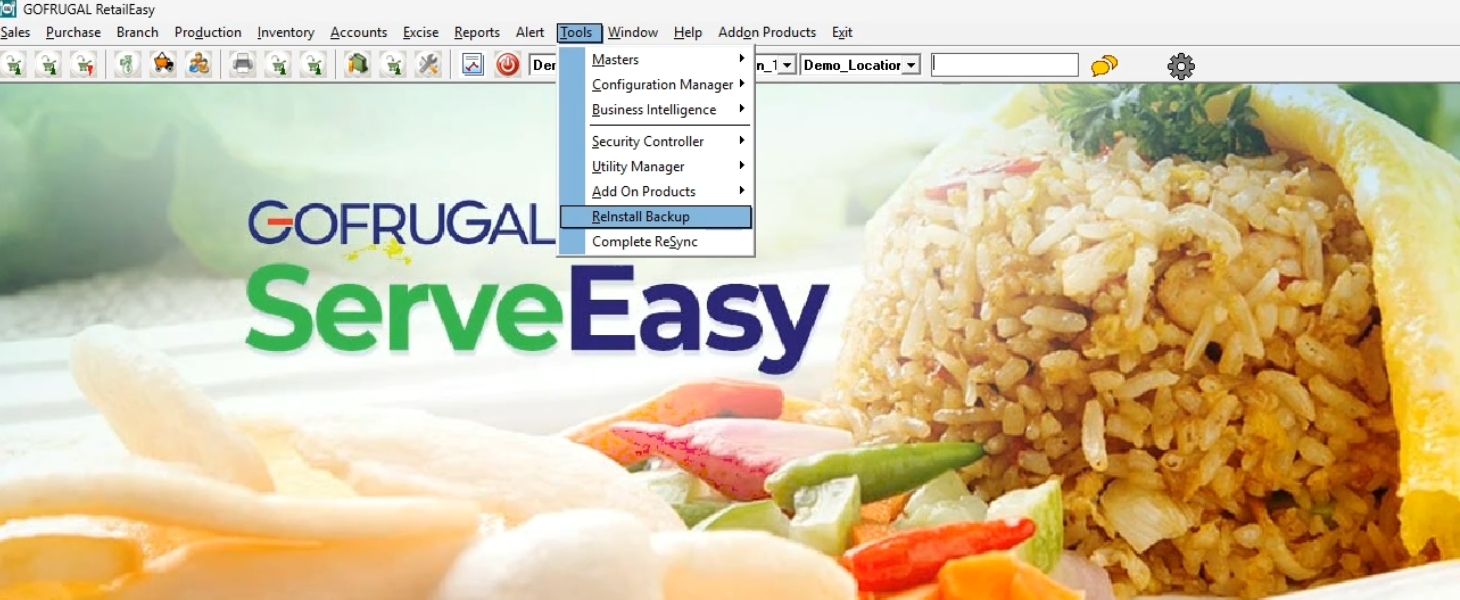
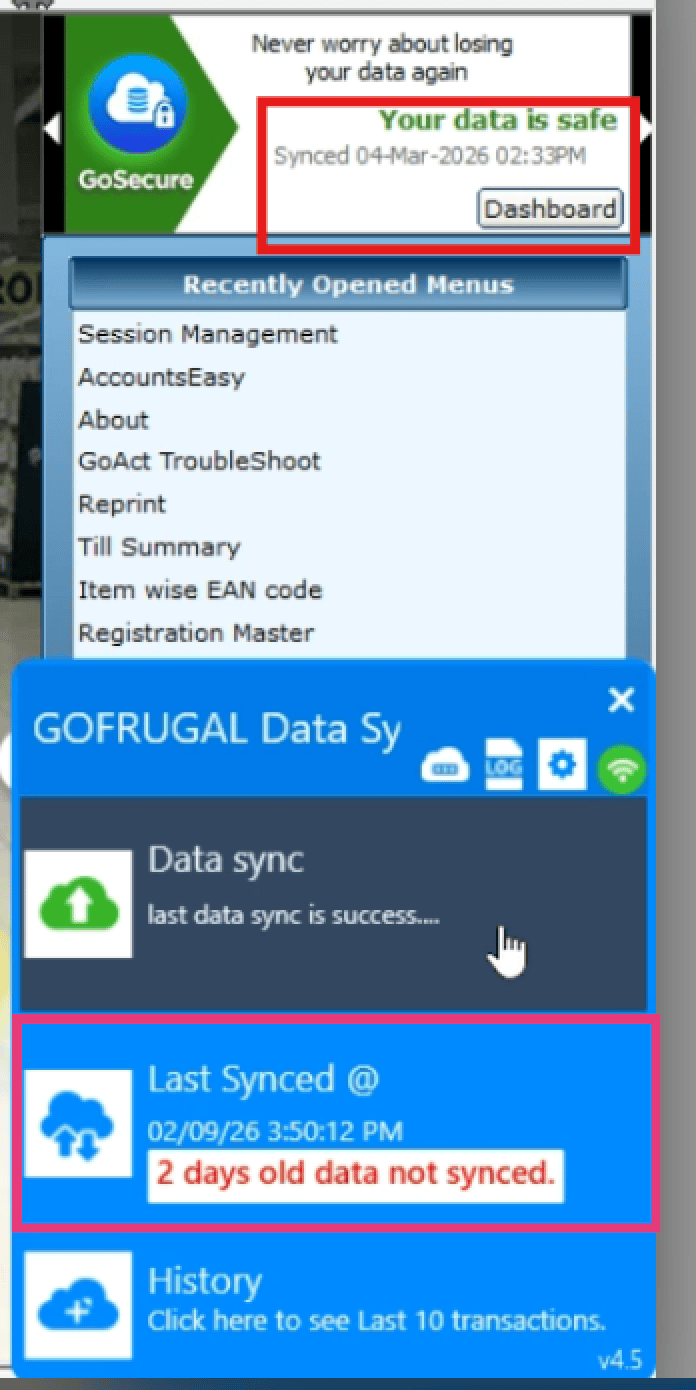
2. Check your GoSecure backup status
If you are using the GoSecure add-on, make sure that your latest data is synced to the cloud.
To check the sync status:
Open your POS application.
Go to GoSecure Dashboard.
Check the Last Synced Date.
3. Note your POS product version
You can find your POS product version in the bottom-right corner of the application screen.
Please keep this information ready, as our team may require it during the reinstallation.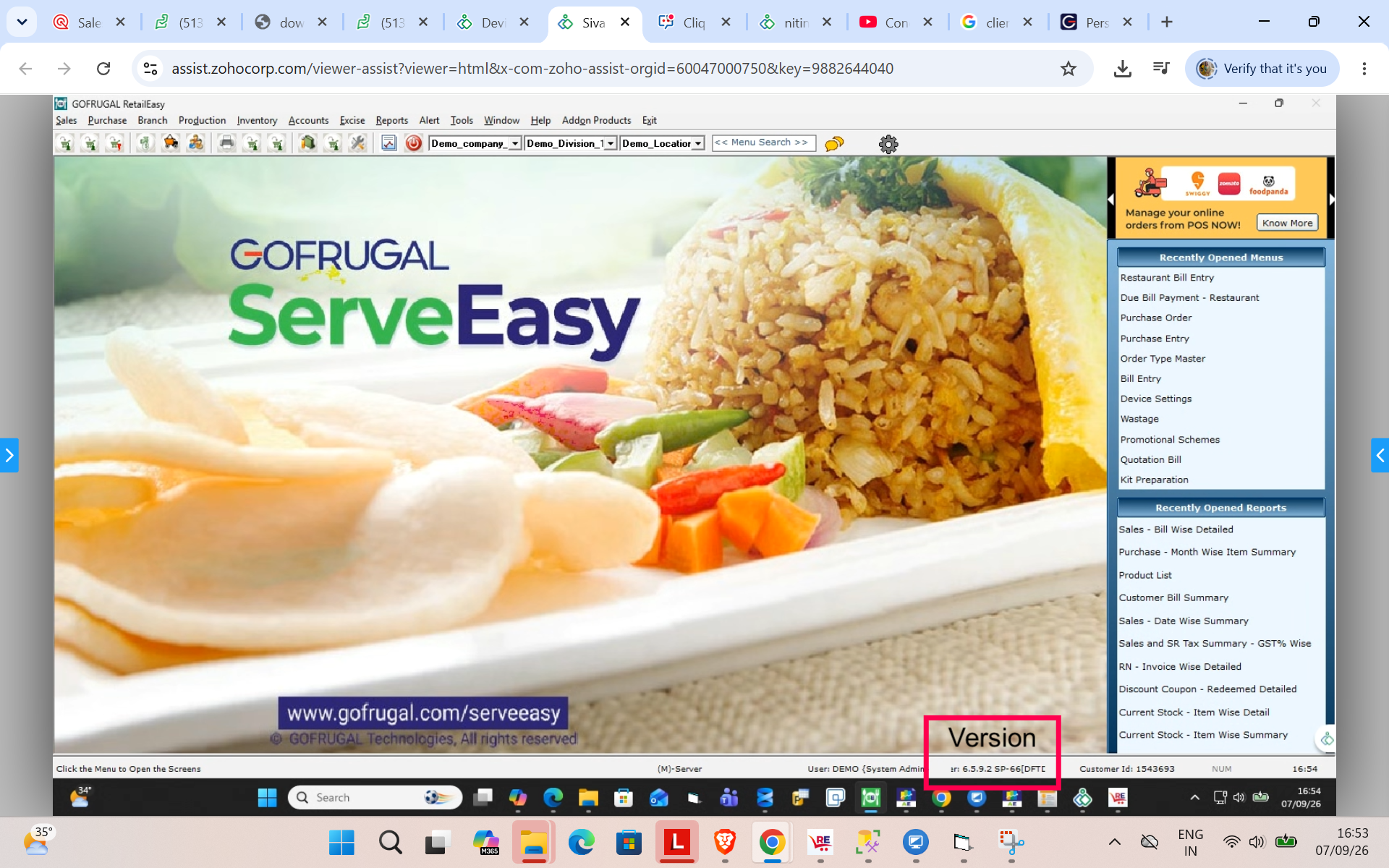
4. Schedule the reinstallation
After upgrading your system to 64-bit, send an email to support@gofrugal.com with :
Your POS product version.
Couple of preferred date and time slots between Monday to Friday for application reinstallation.
Please share your request at least 48 hours in advance so that our team can schedule the reinstallation.
Plan your upgrade early
We recommend completing the upgrade before September 2026. This will help you avoid last-minute issues and continue receiving the latest updates and security fixes without interruption.
For assistance, please contact our Support team through live chat.