User Creation in ManageEasy
User Creation |
Creating a New User in ManageEasy:
The purpose of Creating a new user in Gofrugal ManageEasy allows role-based access control, ensuring secure and organized operations. It helps assign specific responsibilities, improving accountability and workflow efficiency.
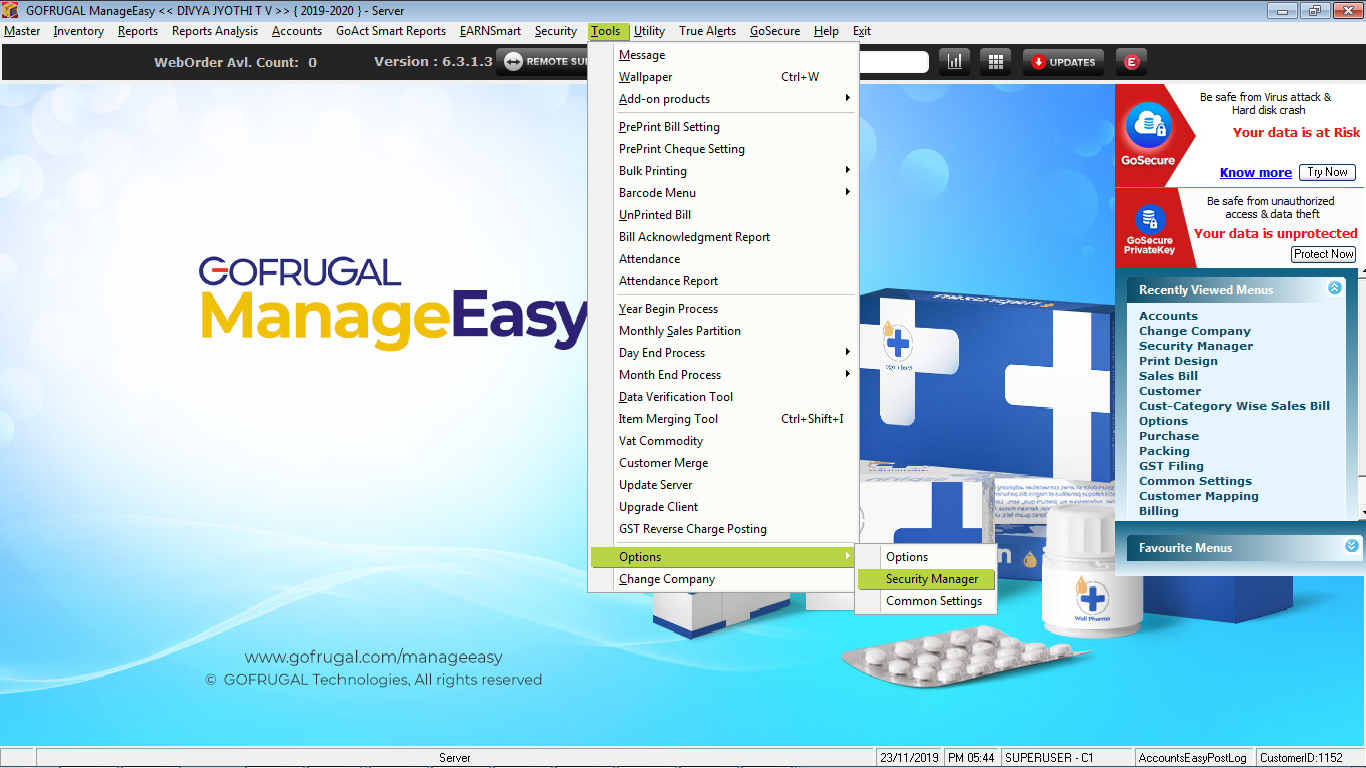
1. Click on Tools-->Options-->Options-->Security Manager.
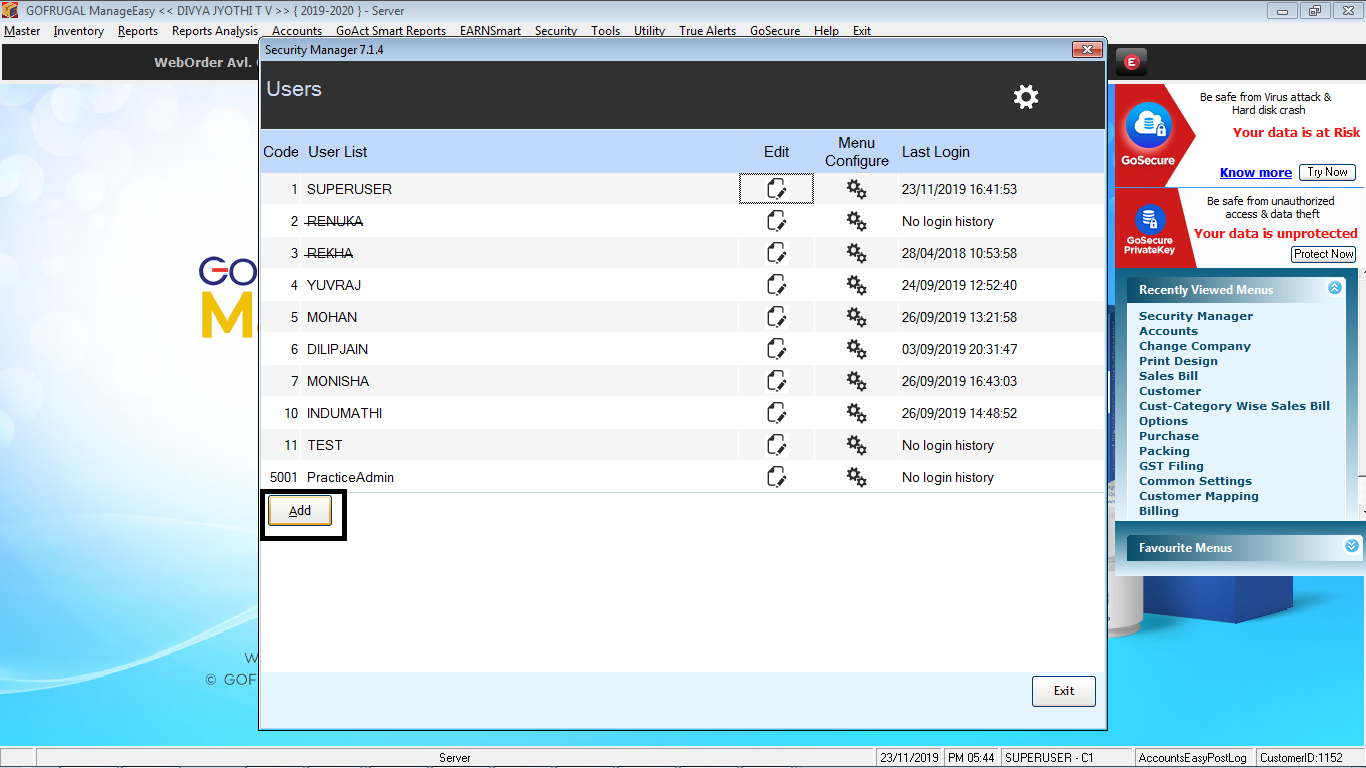
2. Add the User Name as shown below.
3. Enter the details of the New User and Save.

4. Once the user details is created and saved, the page will be routed to the Menu Configure Window as shown below, enable the menu that can be accessed by the user created and click save to update the changes. Restart the application and login to the user created.

Related Articles
Bulk Update of Product Tax Codes using the Bulk Change Tool in Gofrugal ManageEasy
Purpose: GST Council has recommended a comprehensive reform package that includes rate rationalization with a simplified two-slab structure (5% and 18%) . So In order to update the product's tax code in bulk, we are using the bulk change tool. Steps ...How to do year end process in ManageEasy [DE]?
Year Begin Process in ManageEasy Purpose : The Gofrugal ManageEasy Year Begin process helps businesses seamlessly close the previous financial year and start a new one by carrying forward the current stock and outstanding balances and resetting ...Supplier Master
Steps: Go to Master > Supplier On the left-hand side you have the list of suppliers in your database On the right-hand side you have the General and purchase tabs In the General tab, you have all the information you have regarding the suppliers, ...Product Master
Steps Go to Master > Product On the left hand side you have a list of all the products in your database. You can sort them based on the filters such as Product Name Wise, Product Code Wise, etc. You can also apply a manufacture filter. On the right ...Customer Master
Features Available in Customer Master: Go to Master- >Customer On the left hand side you have a list of customers in your database. This can be sorted by the filters which we have provided, for example, Customer Name wise, Customer Code Wise, etc. On ...