What is the process to do a practice data cleanup?
Practice data cleanup
1. Click Tools >> Configuration >> Practice data cleanup to open the Practice data cleanup screen.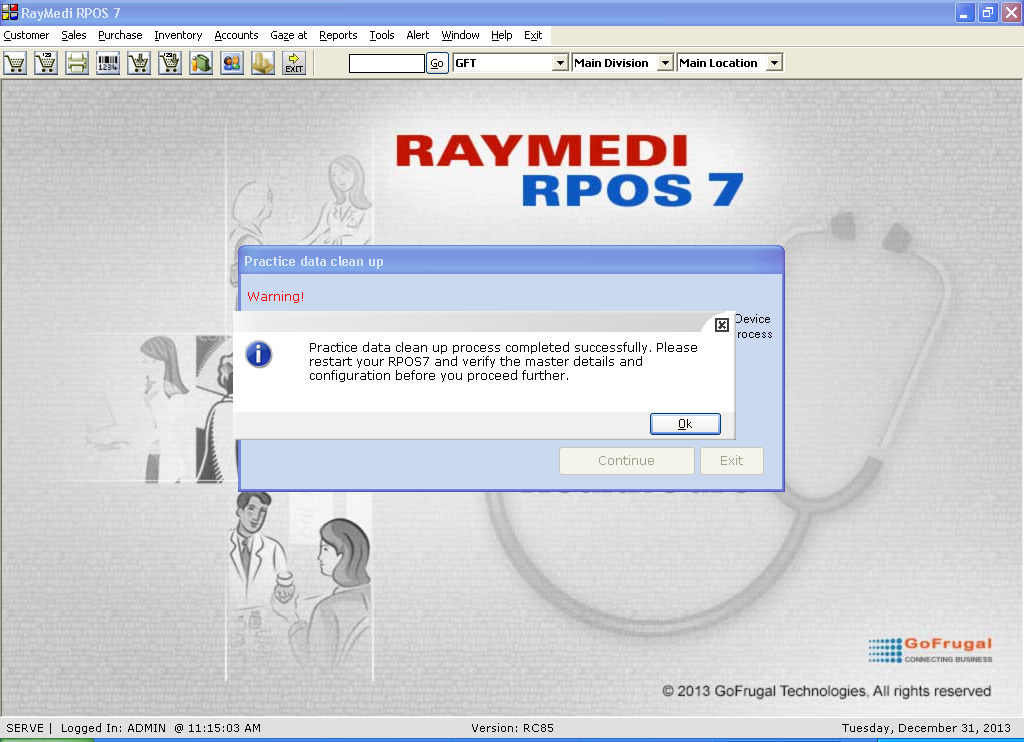
6. Click OK to restart the application.
7. Verify if the data created are cleaned up [except masters, configurations, settings and profiles].
1. Click Tools >> Configuration >> Practice data cleanup to open the Practice data cleanup screen.
2. Click Yes, I agree. The system prompts for admin password to proceed further.
3. In the Enter admin password field, enter the password.
4. Click continue for cleaning up the practice data.
Note: please wait for sometime until the process gets completed.
5. The practice data cleanup is completed and the system prompts for restarting the application.
6. Click OK to restart the application.
7. Verify if the data created are cleaned up [except masters, configurations, settings and profiles].