How to configure GOFRUGAL RetailEasy Desktop using Settings option?
Use RetailEasy Desktop settings (then RayMedi Desktop Settings) to setup a RayMedi desktop which shows only the RayMedi application on the desktop.
1. Click Tools >> Configuration >> Security Manager to open the Security Manager screen.
2. Click the Settings button.
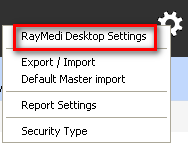
3. Click RayMedi Desktop Settings. The RayMedi Desktop Settings screen is displayed.
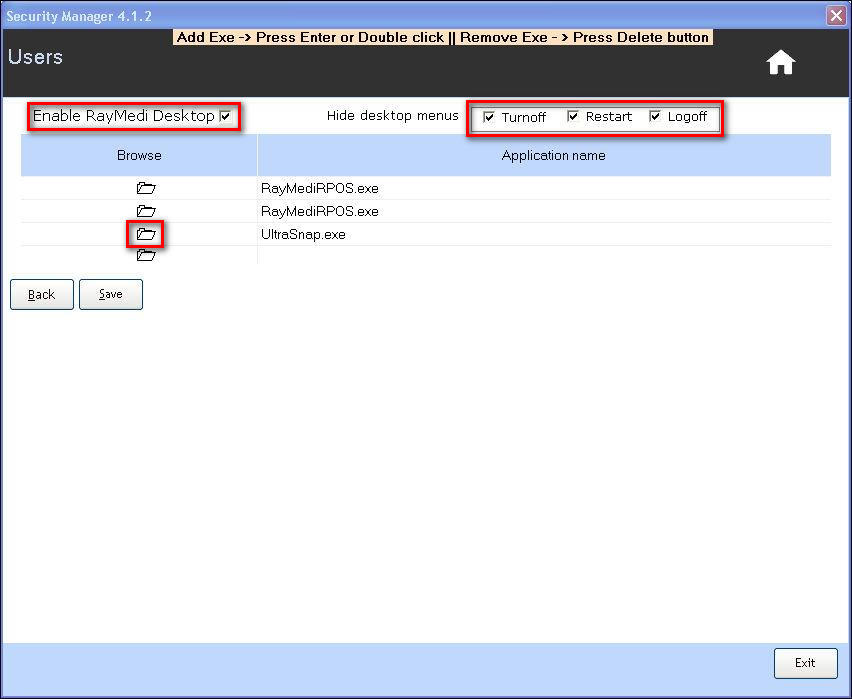
4. In the Hide desktop menus field,
6. Select the Enable RayMediDesktop check box.
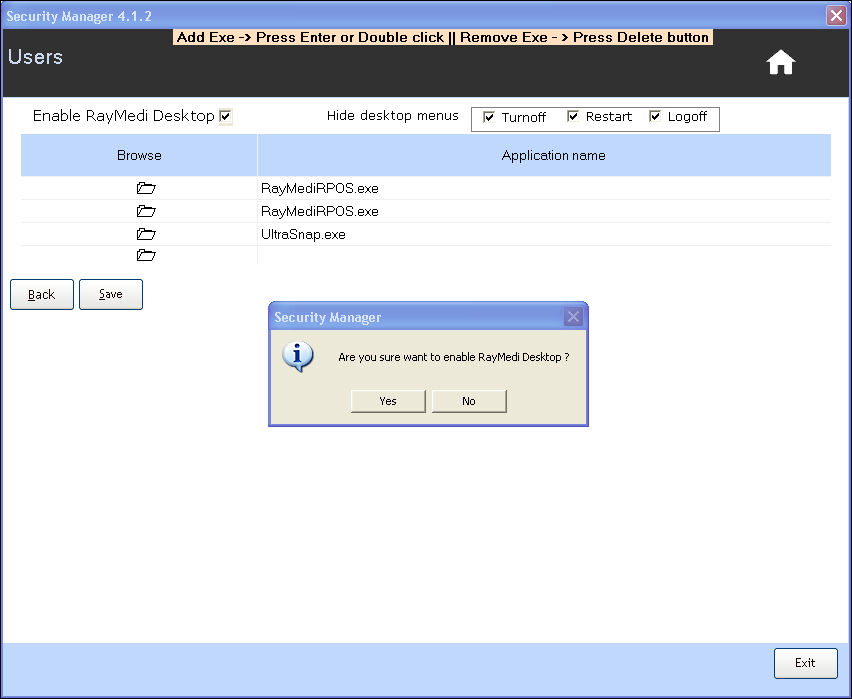
7. A confirmation message 'Are you sure want to enable Raymedi Desktop?' is displayed.
8. Click Yes.
9. Click Save to save the settings.
Note: To enable the RayMedi desktop, you need to:
1. Click Tools >> Configuration >> Security Manager to open the Security Manager screen.
2. Click the Settings button.
3. Click RayMedi Desktop Settings. The RayMedi Desktop Settings screen is displayed.
4. In the Hide desktop menus field,
- Click to clear the Turnoff check box to hide the Turnoff icon on the desktop
- Click to clear the Restart check box to hide the Restart icon on the desktop
- Click to clear the Logoff check box to hide the Logoff icon on the desktop
6. Select the Enable RayMediDesktop check box.
7. A confirmation message 'Are you sure want to enable Raymedi Desktop?' is displayed.
8. Click Yes.
9. Click Save to save the settings.
Note: To enable the RayMedi desktop, you need to:
- logoff the system and login again (or)
- logoff the application and select the RayMedi desktop in the program lists
Related Articles
Scheduled Register Print using Easy Print Tool
Scheduled Register Print using Easy Print Tool Purpose: Compliance and Record Keeping: Scheduled Register Print ensures that the pharmacy complies with regulatory requirements, such as keeping detailed records of transactions, prescriptions, and ...System Requirements to use GOFRUGAL software in Retail Business
System Requirements to use GOFRUGAL software in Retail Business Recommended System Configuration Based on: 1. Type of Business Model Used (Single Store, Multiple Store or Enterprise), 2. No. of Billing Counters (Server Only, Up-to 2 Clients, 3-5 ...Barcode based offers using Datewise Pricing for Apparel Business.
In an apparel business, customers cannot currently run barcode-based offers, as this functionality is not available in the HQ Offer Management module. To address this, an alternative solution exists through the Datewise Pricing feature at the outlet ...Special Rate Feature in GOFRUGAL RetailEasy
Item Special Rate and its usage in GOFRUGAL RetailEasy Purpose Special Rate for Item Master likely allows you to define special pricing rules at the store level. This could be for: - Implementing discounted pricing for specific items or categories. - ...FAQ's Database Split
* What is the impact of Database split for the customers using GOFRUGAL GoSecure? When such customers use database split feature, in cloud it will have the same data which POS machine has after the database split. * Will it support HQ customers? No, ...