Purge Transactions Data
What is Purge data ?
• Purge data means to delete all the transactions permanently from our database. If data has been purged, it cannot be recovered by any means.
• Transactions includes sales,purchase,sale/purchase orders,transfer in/out,Stock updates /Opening stock entries etc.
Data purge in GoFrugal RetailEasy :
Follow the below steps to purge data.
1) Tools--->Miscellaneous-->Purge transactions data
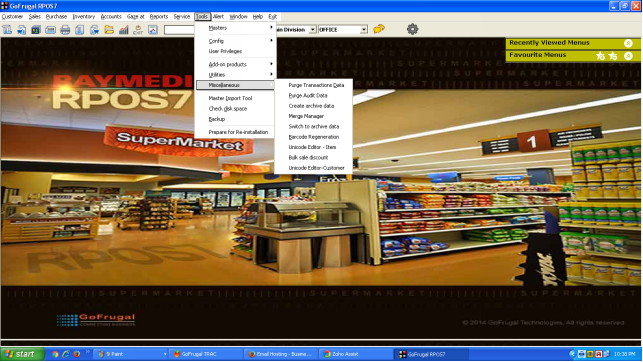
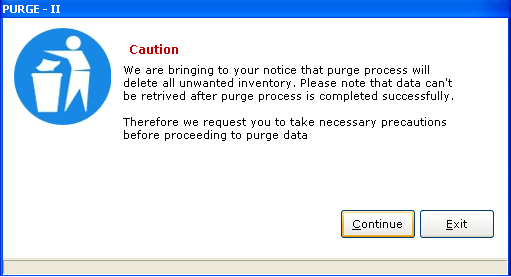
(INITIAL SCREEN)
2) Click Continue and Enter your admin password to proceed
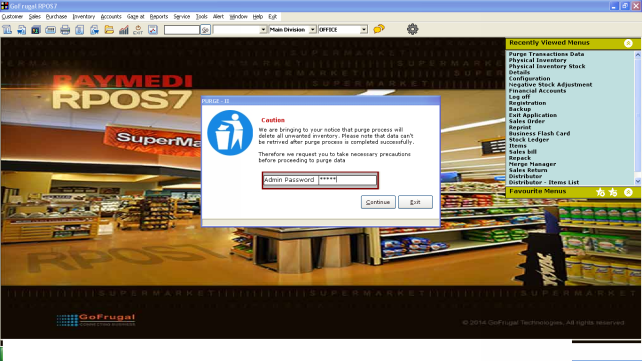
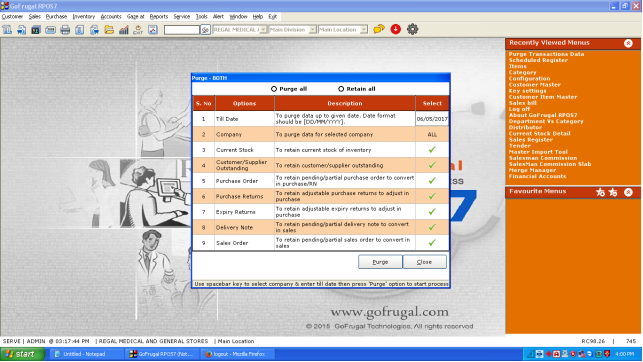
3) Select Purge All ( If you don't want Stock and Outstandings )
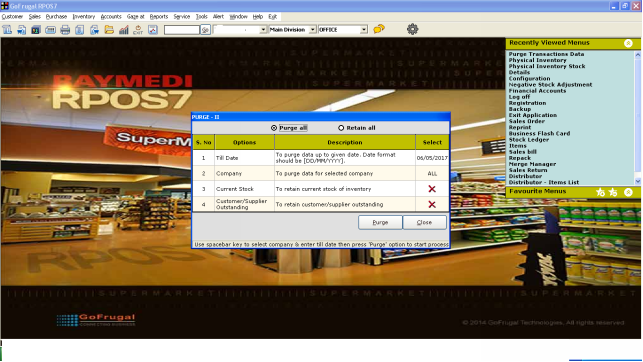
4) Select Retain All if you want to retain stock and outstandings
5) In the "Till Date" option enter the date till which you want to purge data.
Format : DD/MM/YYYY
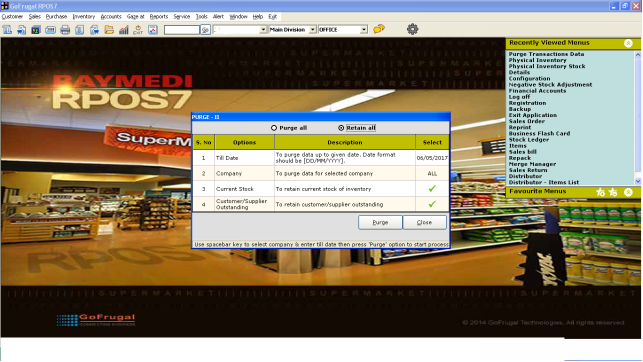
5) Click on Purge and Click 'Yes' for bill number to start from1 or No to continue in old series
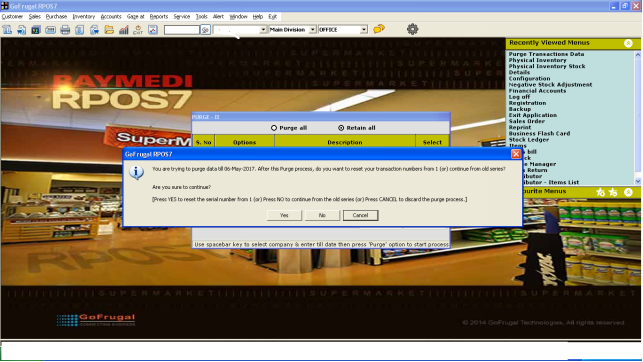
6) After taking backup of data , Purge data process will happen
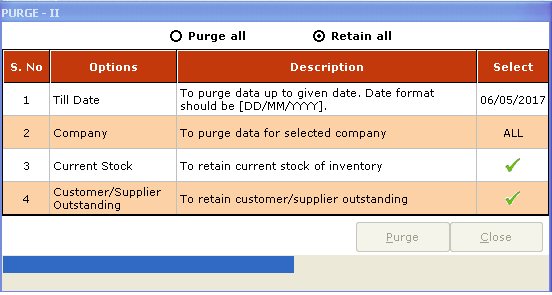
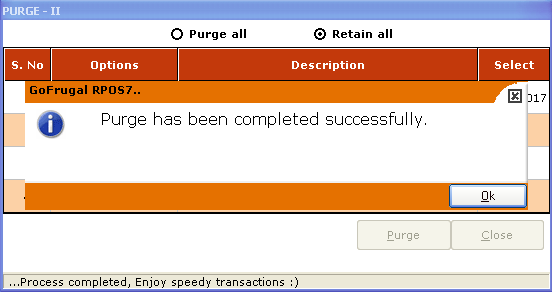
7) You will get a confirmation message after completing purge data
Note :
• The above mentioned process is for PURGE-II ( 2nd inventory ) , for first account Purge , please use Ctrl + shift + f12 on the initial screen so that window will change to PURGE-I.
If needed to purge both inventories , please use CTRL+SHIFT+0
• If there are pending PO/ER/SO etc, then the purge screen will automatically include those options in purge/retain screen.
Please refer image below where PURGE-BOTH is there with pending PO/ER/SO/PR/DN.