How do you configure a Add on item in the receipe?
Add on item in recipe configuration:
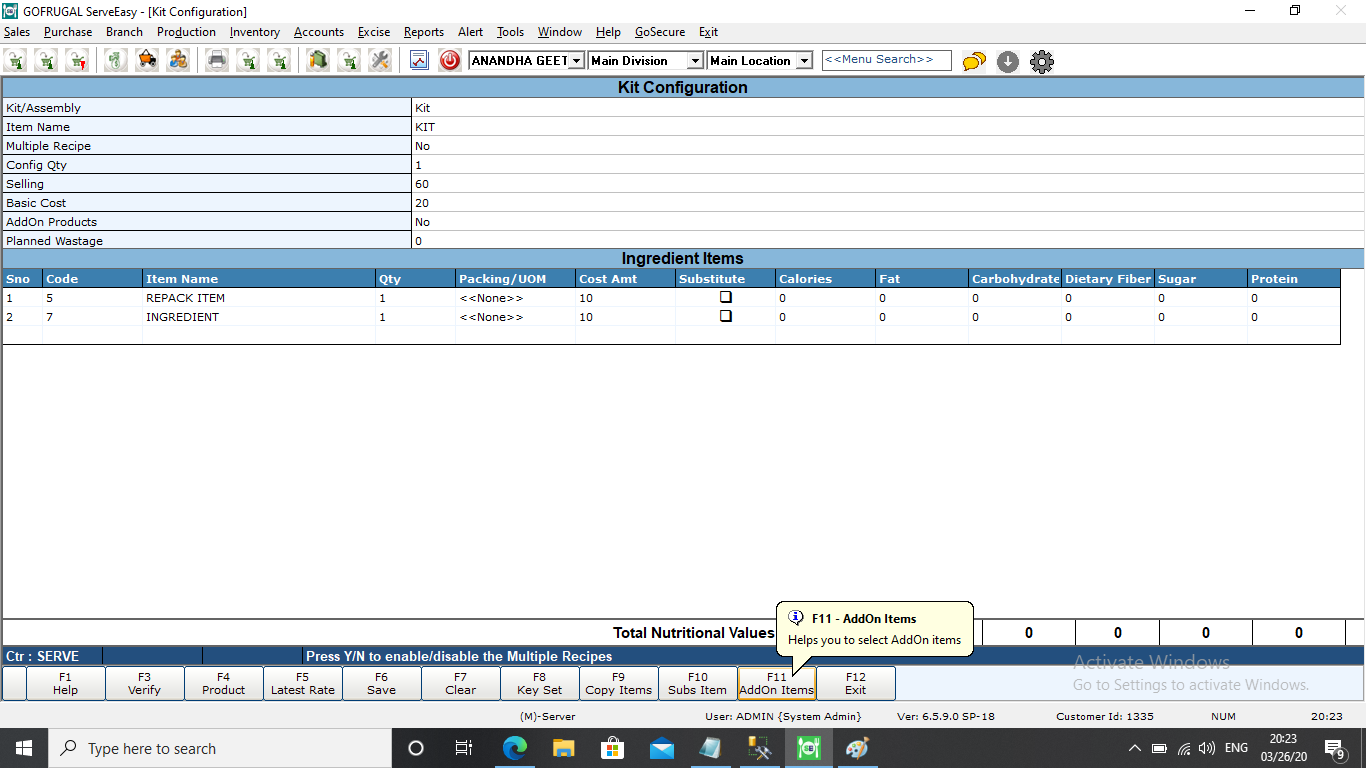
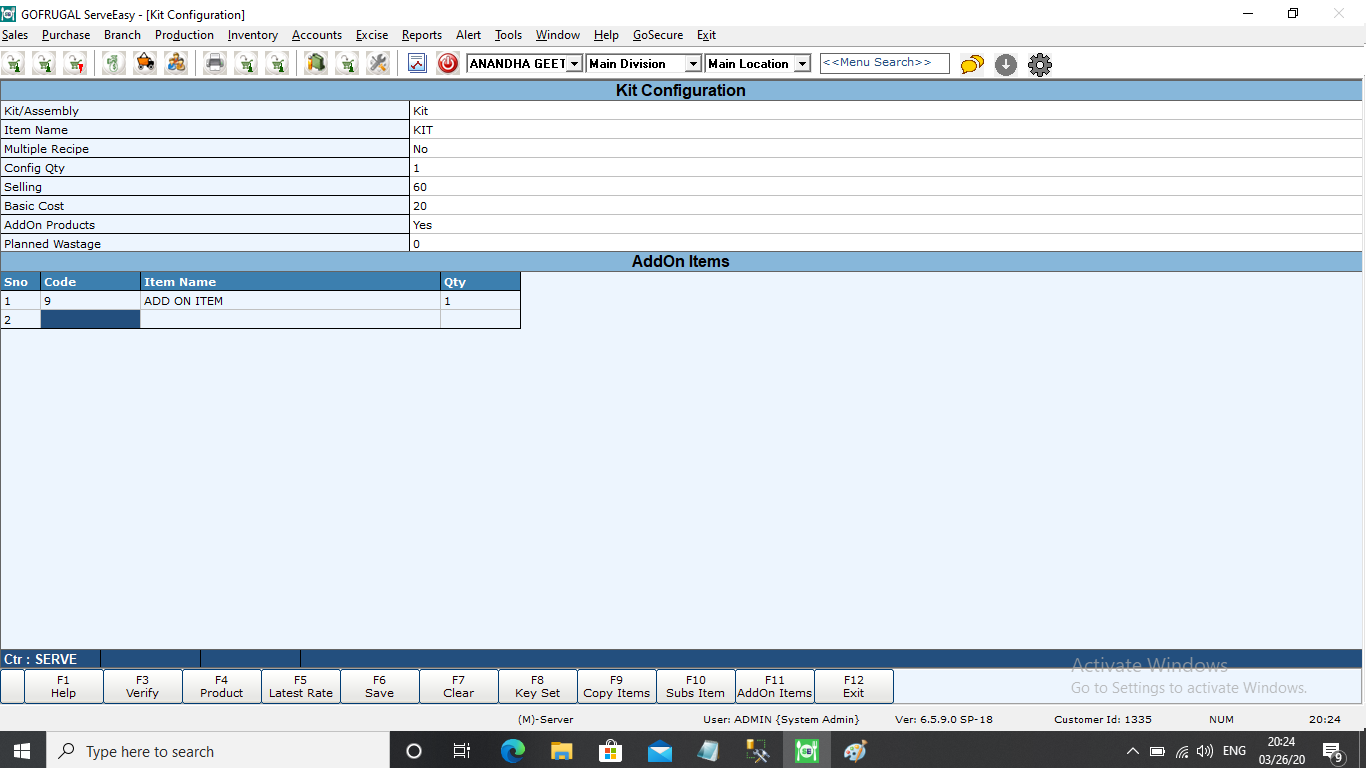
It is used for adding add on product or buy product that we can get from that KIT preparation and we can use that add on product as for sales or used as ingredient item for some other item.We can check the stock updation for add on item after making KIT preparation.For example from milk we will get ghee as end product but we will get add on product as liquid curd.
Step 1:Open recipe configuration screen,under production->master->recipe configuration.On recipe screen load the KIT or assembly for that need to add ->add on item we can select add on item and save it for that KIT or assembly item.
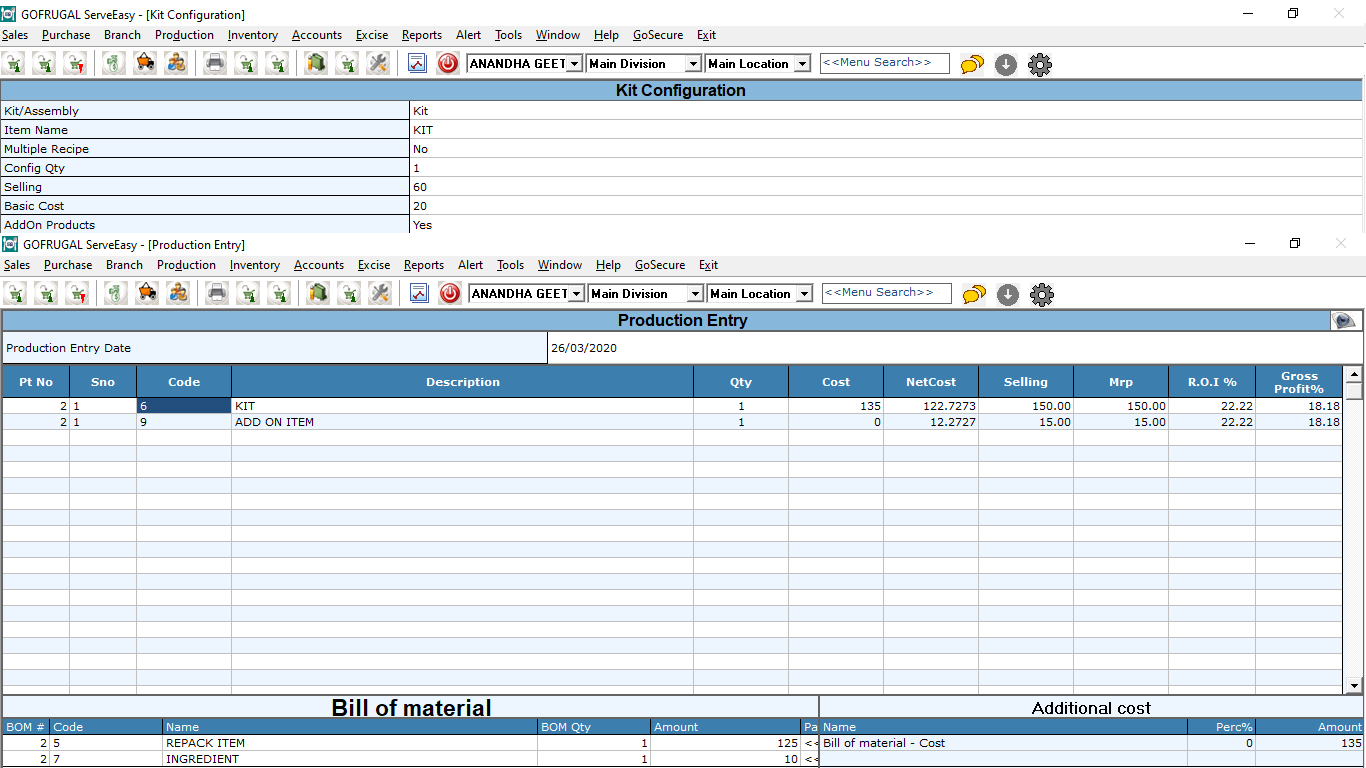
Step 2:Once the production completed for the KIT item it will show how much add on produced from it.
From this we can get the details how much i have configured on add on and it is obtained from production end of that item.So that i can use that add on item as ingredient or any other item for further usage.
Related Articles
How to configure receipe in Item Master?
Item Master for Recipe Configuration Follow the step to create an Item Master for Assembly/Kit item - Click Inventory > Master > Item Master or press Ctrl + I. The Item Master screen is displayed. In the Stock Information section, please fill the ...Steps to follow in Item Master Configuration to create a weighable item for bar-code generation
The Item Master is configured based on the followings: Weight - Based on the weight of the items. Count - Based on the quantity/count of the items. Steps for Item Master Configuration (Based on the Weight) Click Inventory -> Masters -> Item Master or ...How to add the Printers to Route Item Classifiers?
Adding the Printers to Route Item Classifiers Adding of printers includes the primary printer and secondary printer. The configuration of printers includes the following steps Configuring the Primary Printer Configuring the Secondary Printer Steps ...Sales Bill - Item Delete Function Key
Overview The Item Delete function key allows users to delete a specific item from the sales bill during the billing process. This feature is essential for correcting mistakes, such as adding an incorrect item or when a customer decides to remove an ...Do you know how to edit a purchase order in RetailEasy which is open?
What is Purchase Order? A purchase order, or PO, is an official estimated list of products that is issued by a buyer to the seller for the purchase of specific products or services to be delivered in the future. Purpose of Editing a Purchase Order ...