What to do if print sync is disappearing everytime after restarting the system?
What to do if print sync is disappearing everytime after restarting the system?
Step 1 : Go to start button and type RUN and enter the command shell:startup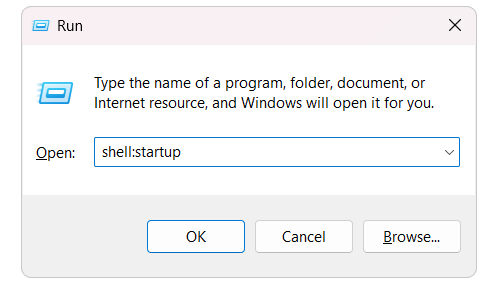
Step 2 : Startup page will open
Step 3 : Go to C folder->Program files(x86)->Raymedi Easy print
Step 4 : Right click on the print sync application and click the "Create shortcut to desktop"
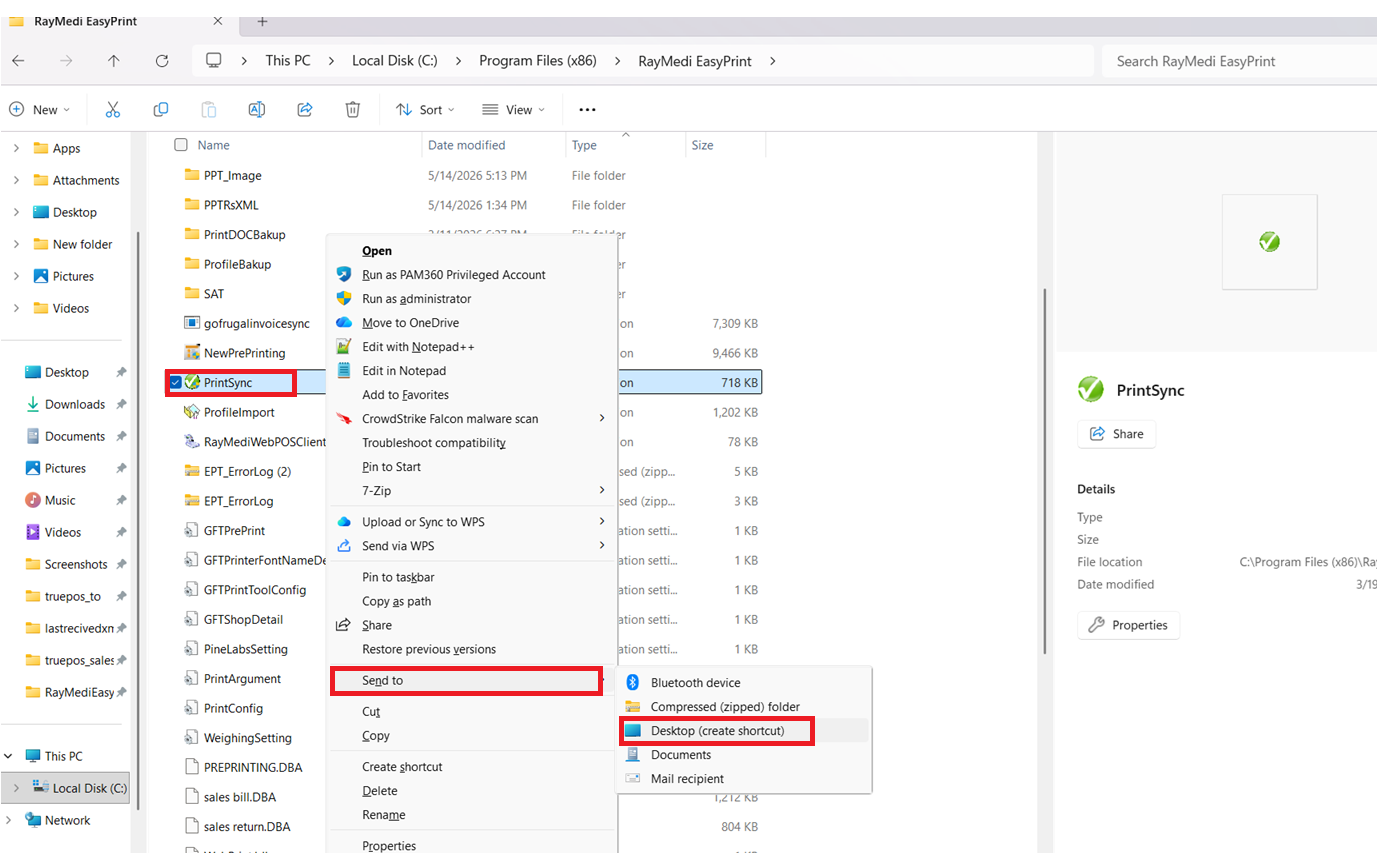
Step 5 : Copy and Paste the PrintSync tool application shortcut from desktop to Startup folder.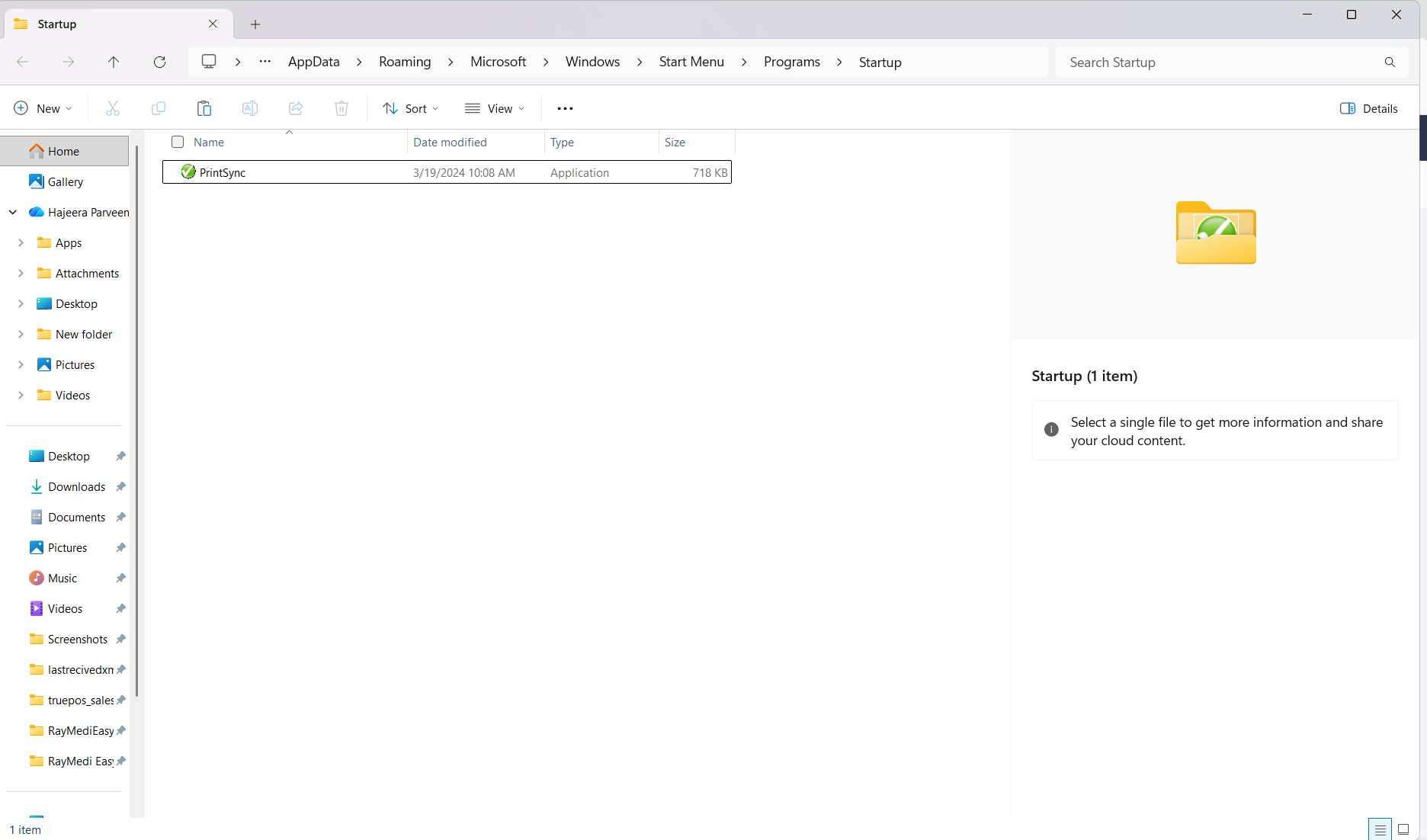
Note - After doing the above mentioned process, Restart the system and check
Related Articles
Easy Print tool Troubleshooting
Easy print Tool Troubleshoot Easy print tool is an essential requirement which allows you to print the document and invoices in Truepos through any printers. EasyPrint simplifies printing by applying the print formats like paper size, printer type ...
Business Configuration[System]
Business Configuration[System] Q3. What does the “Sales Order Caption” configuration do? Purpose: The Sales Order Caption configuration allows you to change the label displayed for the Sales Order screen, helping tailor the terminology to match ...
How to print a purchase order in the TruePOS ?
What is Purchase Order? A purchase order, or PO, is an official estimated list of products that is issued by a buyer to the seller for the purchase of specific products or services to be delivered in the future. Purpose & Benefit: Purchase Order ...
Print Profile Import in TruePos
How to import the DBA File in "Print Profile Import" screen : Print Profile Import option in TruePos is used to backup our print profile for Future base. For example : If the system was crased and formatted the OS, then we are installing the Print ...
How to Uninstall Print tool in TruePOS
Purpose: The Print Tool Uninstall option is used to completely remove the Easy Print Tool and its related configurations from the system. This helps users clear outdated or corrupted print settings, troubleshoot printing issues, or prepare the system ...