Example of a group with Bill amount
The group with Bill Amount - Special Price
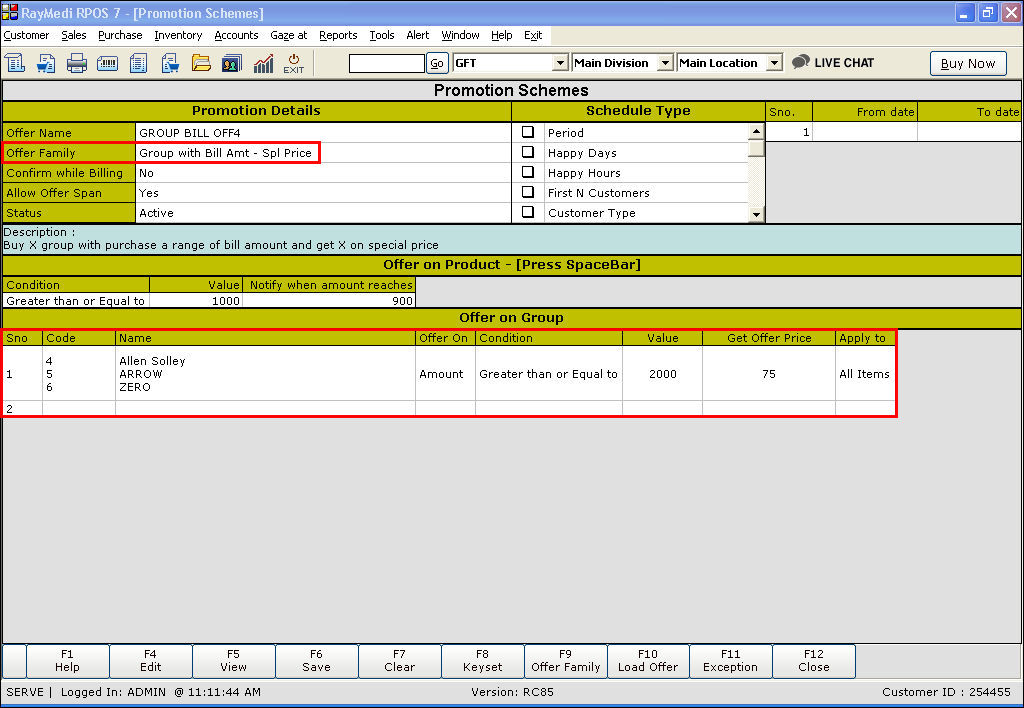
Follow the steps below to apply the created offers:
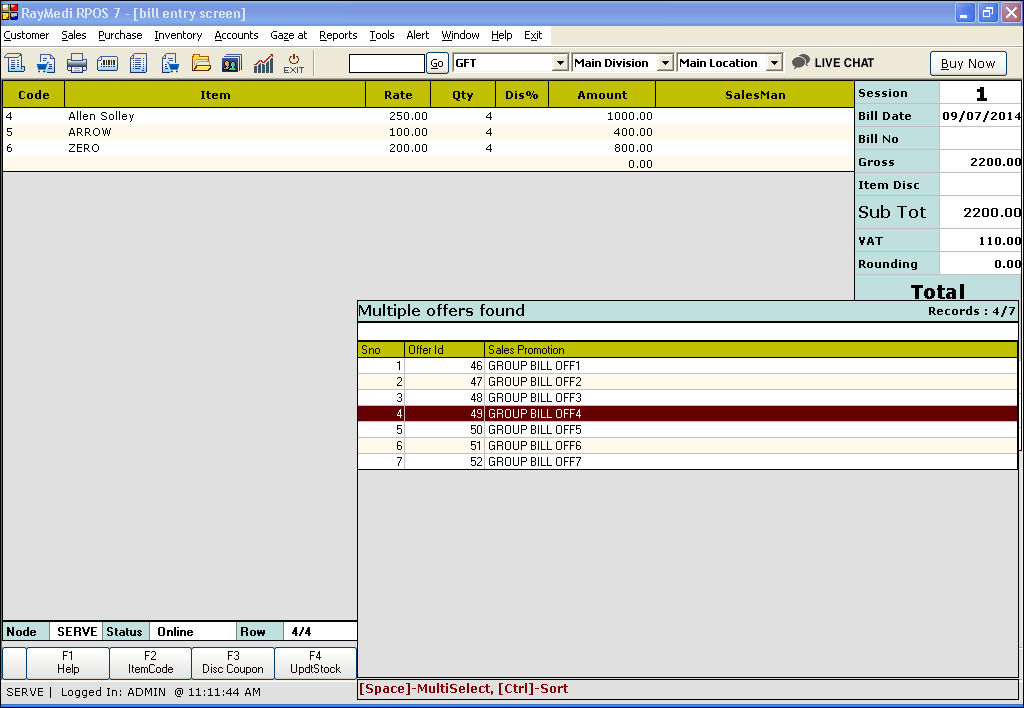
Refer the images below on applying the above offer.
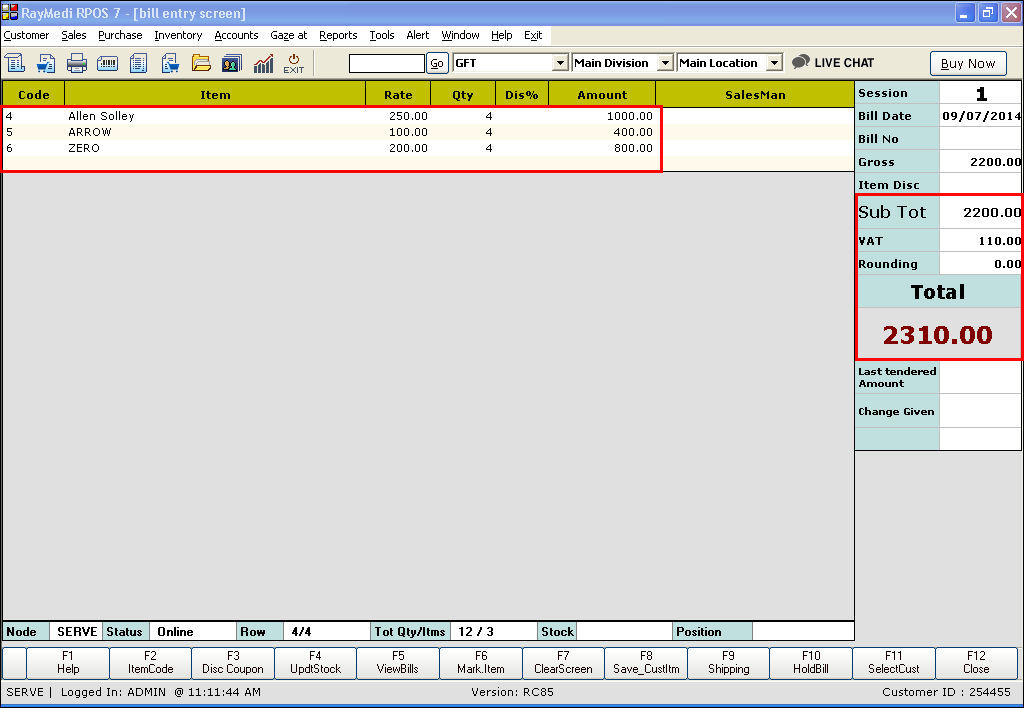

5. Click Save to save the bill.
Follow the steps below to apply the created offers:
- Click Sales >> Sales Bill to open the billing screen
- Select the items from the item LOV
- Invoke the tender screen and the offer is applied for that bill
- If you have created more than one offer, the offer LOV is displayed. Select the appropriate offer from the LOV
Refer the images below on applying the above offer.
5. Click Save to save the bill.
Related Articles
How to apply Item with Bill Amount offer?
An item with Bill amount offer The following offers are applicable to selling an X item with a specified bill amount. 1. An item with Bill amount - Disc% (To offer N% discount on X item for a specified bill amount ) 2. An item with Bill amount - Disc ...What are the types of offers available based on Category with bill amount?
Category with Bill amount The following offers are applicable on selling a category (e.g. X category) with the specified bill amount. 1. Category with Bill amount - Disc% (To offer N% discount on X category with the specified bill amount) 2. Category ...Last Tendered Cash Amount and Last Bill Number
Last Tendered Cash Amount and Last Bill Number Purpose: The "Last tendered cash amount" and "Last bill number" in the Cashier Management screen of the RetailEasy Apparel POS system serve different purposes: Last tendered cash amount: This refers to ...How to create a group with bill amount offer?
The group with Bill amount offer The following offers are applicable to selling an X group with a specified bill amount. 1. Group with bill amount - Disc% (To offer N% discount on X group for the specified bill amount) 2. Group with bill amount - ...Category with bill amount offer - Example
Category with Bill amount - Bill Disc Amount Follow the steps below to apply the created offers: Click Sales >> Sales Bill to open the billing screen Select the items from the item LOV Invoke the tender screen and the offer is applied for that bill ...